
Luskin Room Reservations
The Luskin School of Public Affairs has an internal-use room reservation system (SharePoint) to manage all Luskin room requests. Luskin Faculty and Staff may request a SharePoint account by emailing the IT Support desk: itsupport@luskin.ucla.edu.
Step 1: Look through the Room-Request-Guidelines.
Step 2: Choose a room that works for your event (see built-in AV and capacity below).
Step 3: Reserve your room via the SharePoint room reservation website.
Step 4: Fill out the UCLA Luskin Events form (mandatory for all events).
Luskin rooms that can be reserved (includes pictures, AV and capacity details):
1015A | Classroom Computer Lab
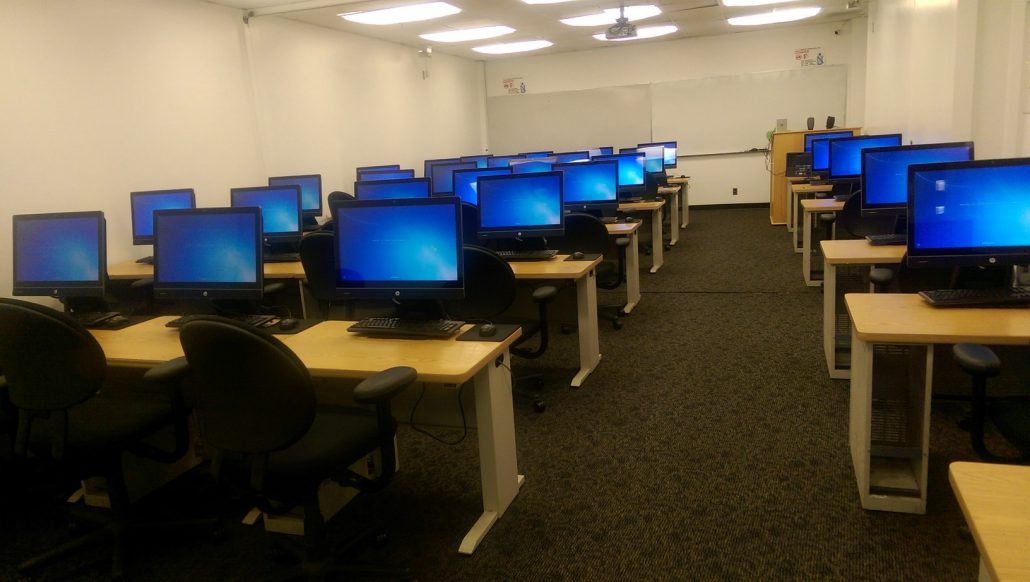
1015A | Front Computer Lab | Room Capacity 31
- Thirty student work stations, one instructor station
- Camera for ZOOM available
- HDMI available for Laptop (instructor podium)
- Mac Adapter available USB-C
- DVD Player (built into all stations)
- Whiteboards
- Note: Only use EXPO brand low-odor dry-erase markers and a microfiber cloth to clean the whiteboards.
- Data Projector
- Wi-fi (UCLA Campus)
1015F | Collaboration Computer Lab
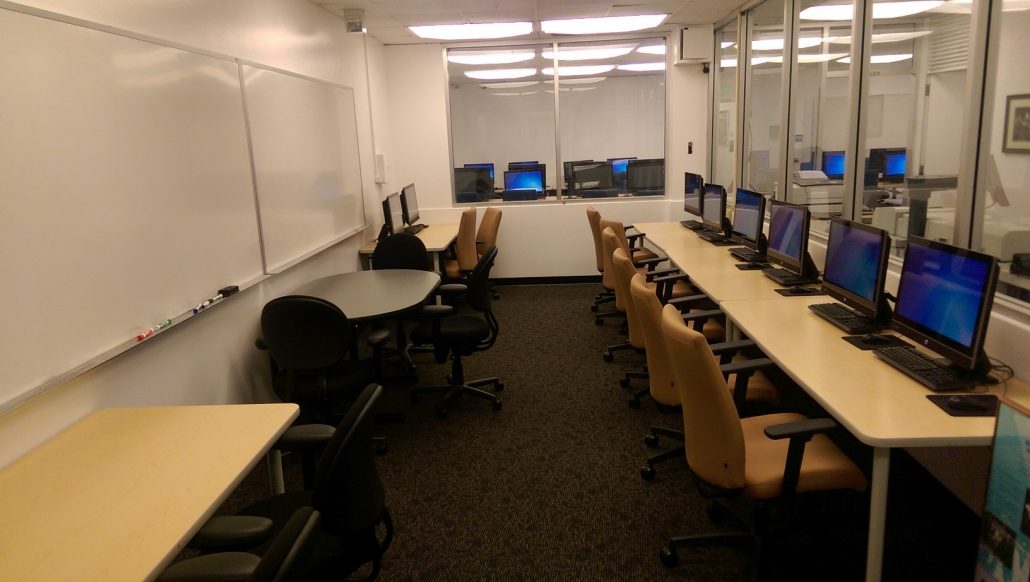
1015F| Student Collaboration Lab | Room Capacity 14
- Nine student work stations
- Wi-fi (UCLA Campus)
- Conference table and laptop table to seat 2-4 people
- Whiteboards
- Note: Only use EXPO brand low-odor dry-erase markers and a microfiber cloth to clean the whiteboards.
2343 | 2nd Floor Large Classroom
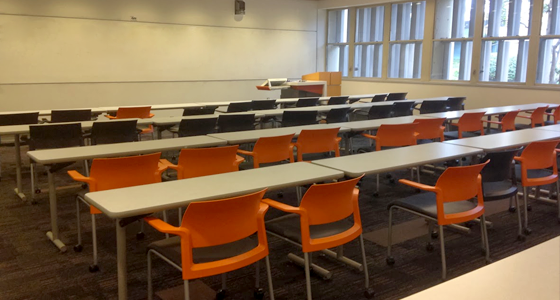
2343 | 2nd Floor Large Classroom | Room Capacity 60
- Podium Mic (and Handhelds available as needed)
- Built in Computer
- Dual Camera for ZOOM available
- Whiteboard
- Note: Only use EXPO brand low-odor dry-erase markers and a microfiber cloth to clean the whiteboards.
- Ceiling projector
- Laptop connections HDMI with usb-c adapter available
- Wi-fi (UCLA Campus)
2355 | 2nd Floor Large Classroom
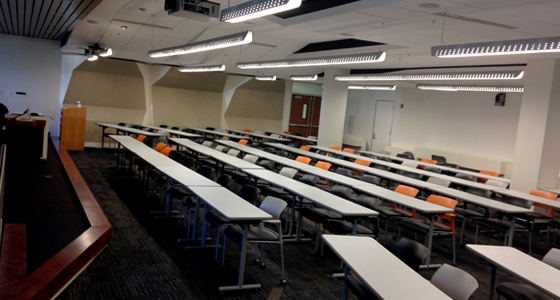
2355 | 2nd Floor Large Classroom | Room Capacity 95
- 1 Wireless Lavalier microphone
- 4 Handheld mics available
- 2 Room cameras for ZOOM available
- Built in computer
- Whiteboard
- Note: Only use EXPO brand low-odor dry-erase markers and a microfiber cloth to clean the whiteboards.
- Ceiling projector
- Laptop connections HDMI with USB-C adapter available
- Wi-fi (UCLA Campus)
3250N | Small Conference Room
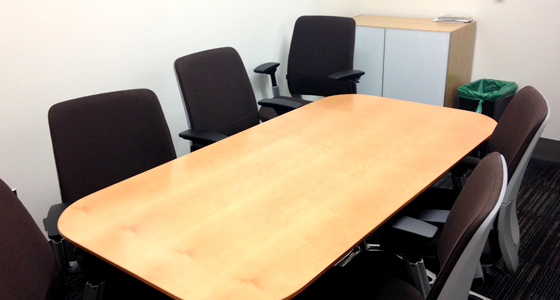
3250N | Deans Small Conference Room | Room Capacity 6
- Polycom telephone unit per request
- Wi-fi (UCLA Campus)
3333 | Large Conference Room
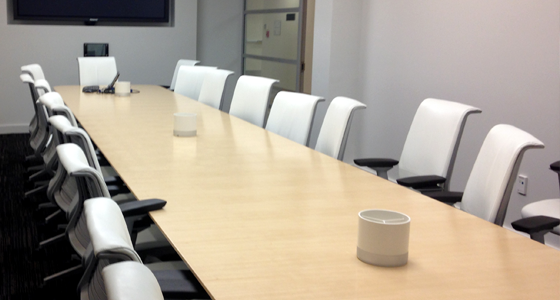
3333 | Deans Large Conference Room | Room Capacity 20
- Laptop connection (HDMI)
- Built in Computer
- Built in Computer Camera (video conference) with table mics
- UCLA Campus Wi-fi
3383 | Luskin Commons

3383 | Luskin Commons | Room Capacity 25
- Kitchen
- Lounge
- UCLA Wi-fi
This space may not be reserved during midterms/finals.
3383s | Third Floor Collaboration Room
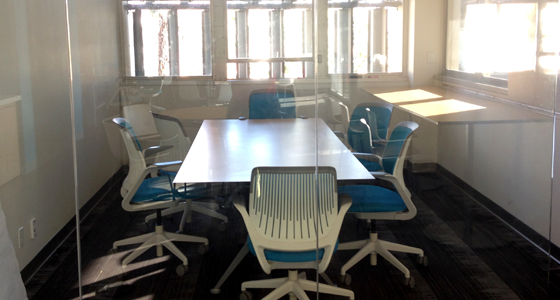
3383s | Third Floor Collaboration Room | Room Capacity 8
The third floor collaboration room in the 3rd floor commons available for small group use (maximum 8 people). Drop ins are welcome, but room reservations have priority use of the space.
Reservation policies:
- The room is for Luskin students only.
- The collaboration room is available Monday-Friday, 8 a.m.-5 p.m.
- If the room is available, drop-ins are welcome. Reservations take priority.
- The room is for meetings of small groups, not for solo study. As such, single-person reservations and group lunches will not be accepted.
- The maximum time limit for reservations is two hours.
- Any individual student may not reserve more than 10 hours per academic quarter.
- Students are responsible for leaving the space in good condition after they leave (e.g. throwing away their trash, cleaning up spills, etc.) or risk losing their privileges to the space.
3rd Floor Patio
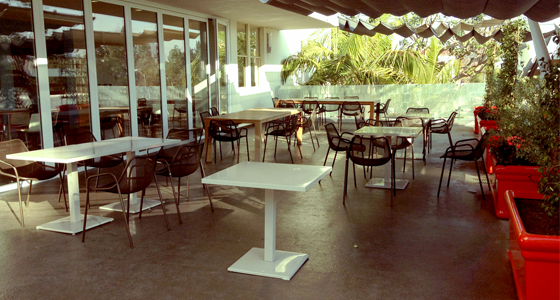
3rd Floor Patio | Capacity 30
3rd Floor Terrace
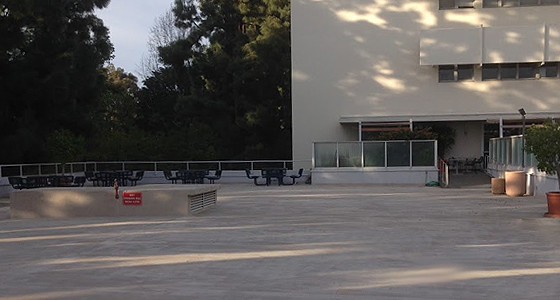
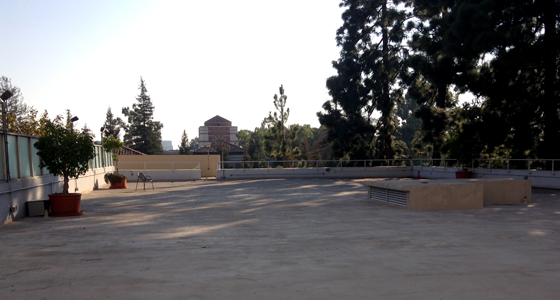
3rd Floor Terrace | Capacity 200
4320 | Classroom
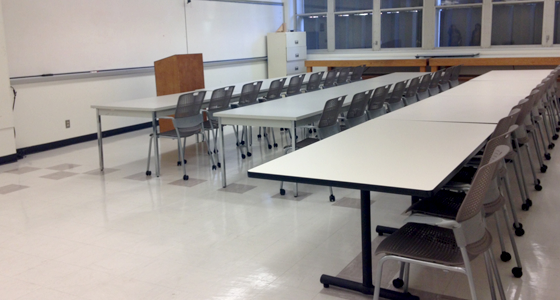
4320A | Classroom | Room Capacity 30
- Whiteboard
- Note: Only use EXPO brand low-odor dry-erase markers and a microfiber cloth to clean the whiteboards.
- Ceiling projector
- Camera available for ZOOM
- Built in computer
- UCLA Wi-fi
4357 | Classroom
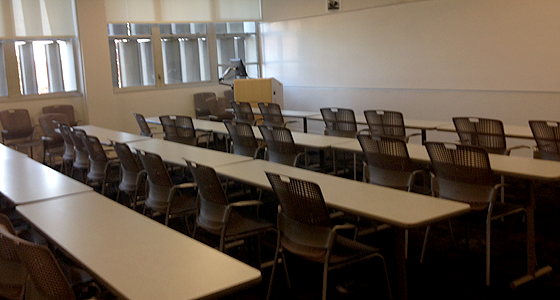
4357 | Classroom | Room Capacity 35
- Whiteboard
- Note: Only use EXPO brand low-odor dry-erase markers and a microfiber cloth to clean the whiteboards.
- Ceiling projector
- Camera available for ZOOM
- Built in Computer
- Laptop connections (HDMI)
- UCLA Wi-fi
4371 | Classroom
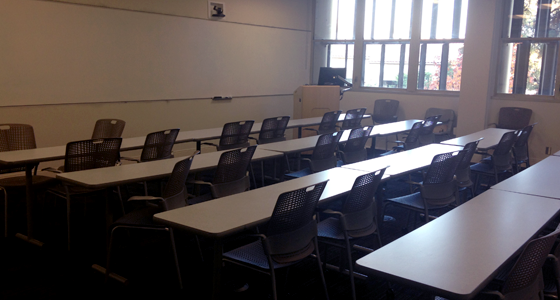
4371B | Classroom | Room Capacity 35
- Whiteboard
- Note: Only use EXPO brand low-odor dry-erase markers and a microfiber cloth to clean the whiteboards.
- Ceiling projector
- Laptop connection (HDMI)
- Built in Computer
- Camera available for ZOOM
- UCLA Wi-fi
5th Floor Patio

No AV or outlets
5273 | Urban Planning Conference Room
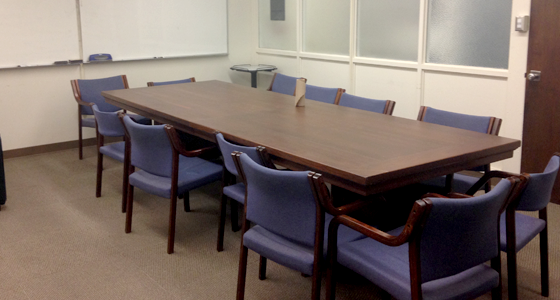
5273 | Urban Planning Conference Room | Room Capacity 20:
- Built in Computer
- Laptop Connection (HDMI)
- DVD Player (on computer)
- Webcam (connected to computer)
- TV
- UCLA Wi-fi
5344 | Social Welfare Conference Room

5344 | Social Welfare Conference Room | Room Capacity 20
- Built in Computer (HDMI Available for laptop)
- DVD Player (on computer)
- Webcam (connected to computer)
- Polycom Telephone
- TV
- UCLA WiFi
5391 | Faculty Lounge
5391 | Faculty Lounge | Room Capacity 40
- TV screen
- Built-in computer
- HDMI and USB-C connections
- Zoom camera and Mic
- 5391 Classroom Quick Guide
6223 | Meeting Room
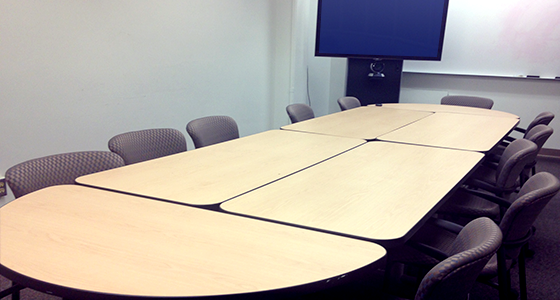
6223 | Meeting Room | Room Capacity 15
- Whiteboard
- Note: Only use EXPO brand low-odor dry-erase markers and a microfiber cloth to clean the whiteboards.
- TV
- Laptop connection via HDMI
- Built in Computer
- DVD Player (on computer)
- Webcam (connected to computer)
- UCLA Wi-fi
6326 | Policy Studies Conference Room
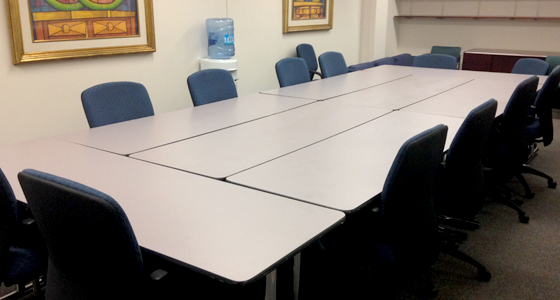
6326 | Policy Studies Conference Room | Room Capacity 12
- Whiteboard
- Note: Only use EXPO brand low-odor dry-erase markers and a microfiber cloth to clean the whiteboards.
- UCLA Wi-fi
6274 | Meeting Room
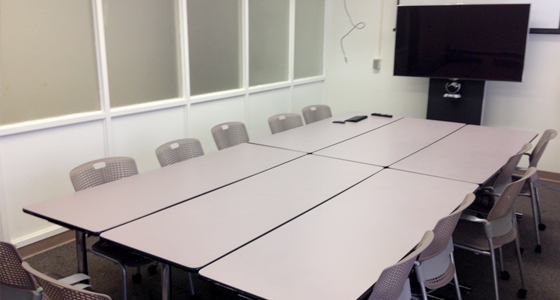
6274| Meeting Room | Room Capacity 15
- Whiteboard
- Note: Only use EXPO brand low-odor dry-erase markers and a microfiber cloth to clean the whiteboards.
- TV
- Laptop connection via HDMI
- Built in computer
- DVD Player (on computer)
- Webcam (connected to computer)
- UCLA Wi-fi
